
Doctor Guide
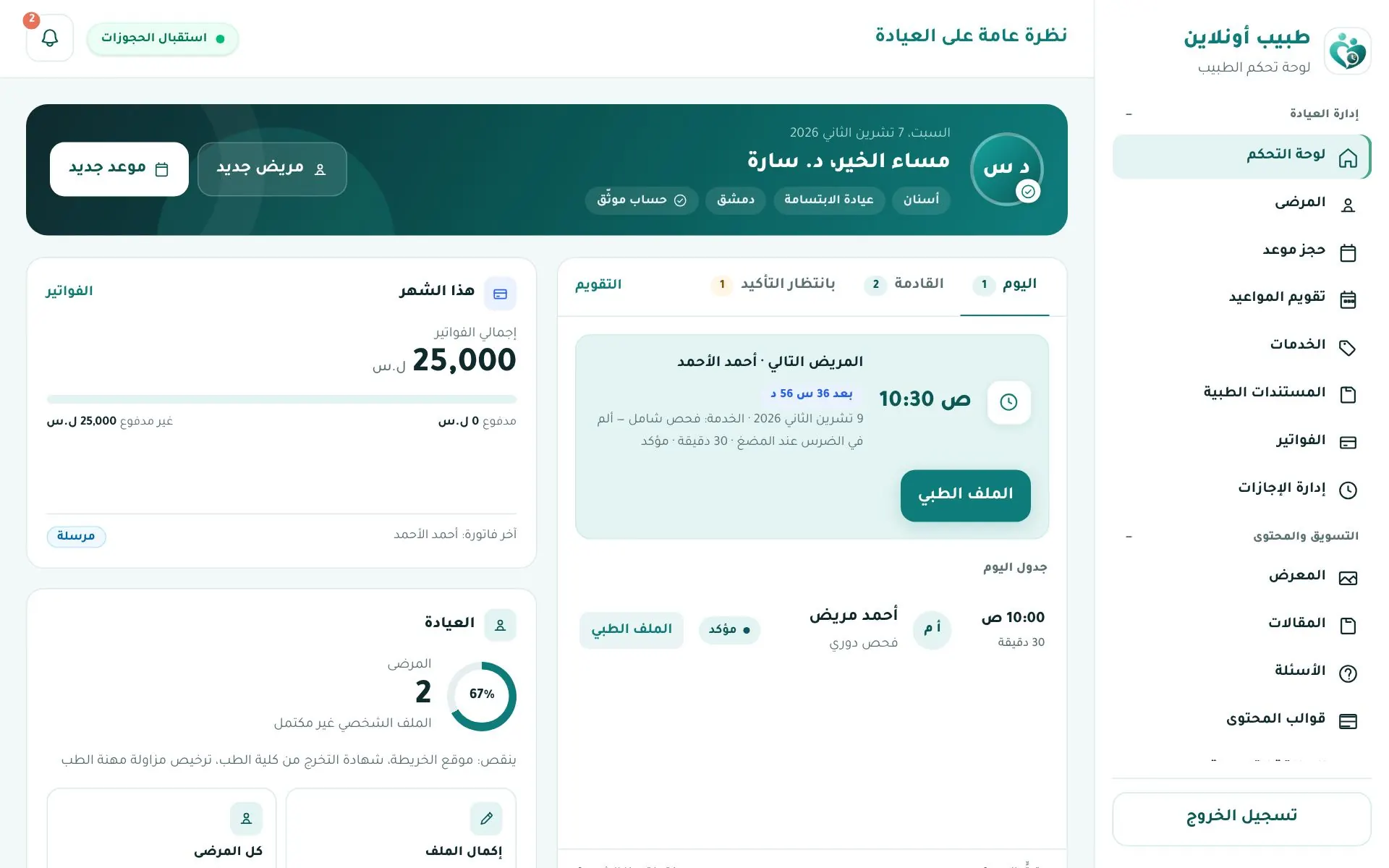
The Doctor portal in Tabib Online lets you run your clinic end to end: receive bookings, organise working hours, keep patient records, issue invoices and send WhatsApp reminders — while patients searching in your city find your profile.
- Web portal: tabibon.com/doctor
- Mobile app: the same app patients use — sign in with your doctor account (details).
Tip
The portal interface is in Arabic; this guide gives each Arabic label with its English meaning.
Quick start
- Create your account from انضم كطبيب (Join as a doctor).
- Upload your graduation certificate and practice licence and wait for admin approval.
- Complete your clinic profile and set your consultation fee (required to be listed).
- Set your working hours and slot length.
- Connect WhatsApp to send reminders to patients.
- Start handling appointments and patients.
Portal menu
| Section | Pages |
|---|---|
| إدارة العيادة (Clinic management) | Dashboard, appointments, calendar, patients, services, time off, medical documents, invoices, WhatsApp |
| التسويق والمحتوى (Marketing & content) | Gallery, articles, FAQs, content templates, promo card, patient inquiries |
| الحساب (Account) | Clinic info, verification status, subscription |
Some pages appear depending on your subscription plan (WhatsApp, gallery, articles, invoice settings…). See Subscription & billing.