
Appointments
Dashboard Web
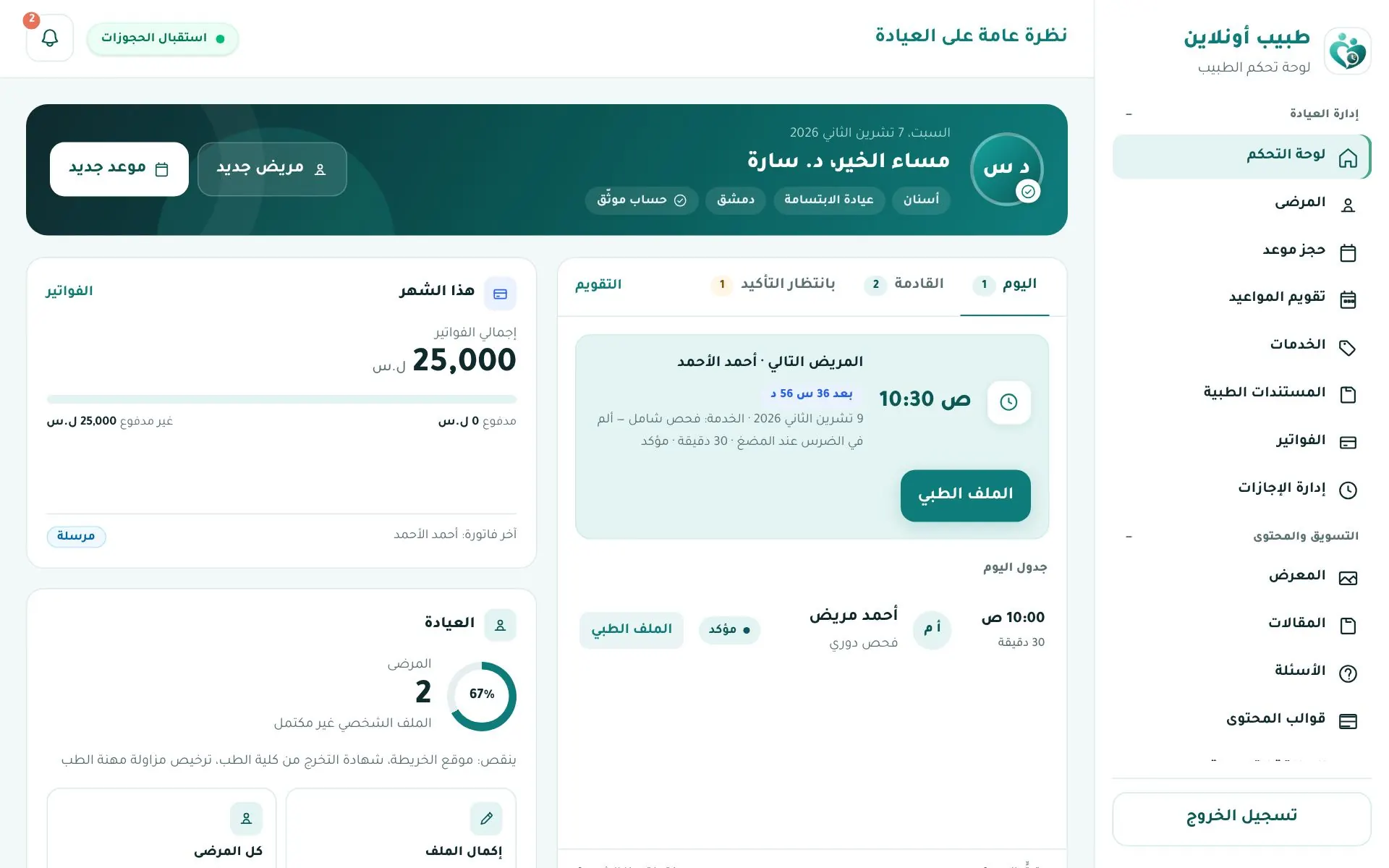
Your daily screen: greeting with New patient and New appointment, tabs Today / Upcoming / Awaiting confirmation / Calendar, the next patient card with a Medical file button, this month summary (invoices, patients) and profile completeness.
Appointment list
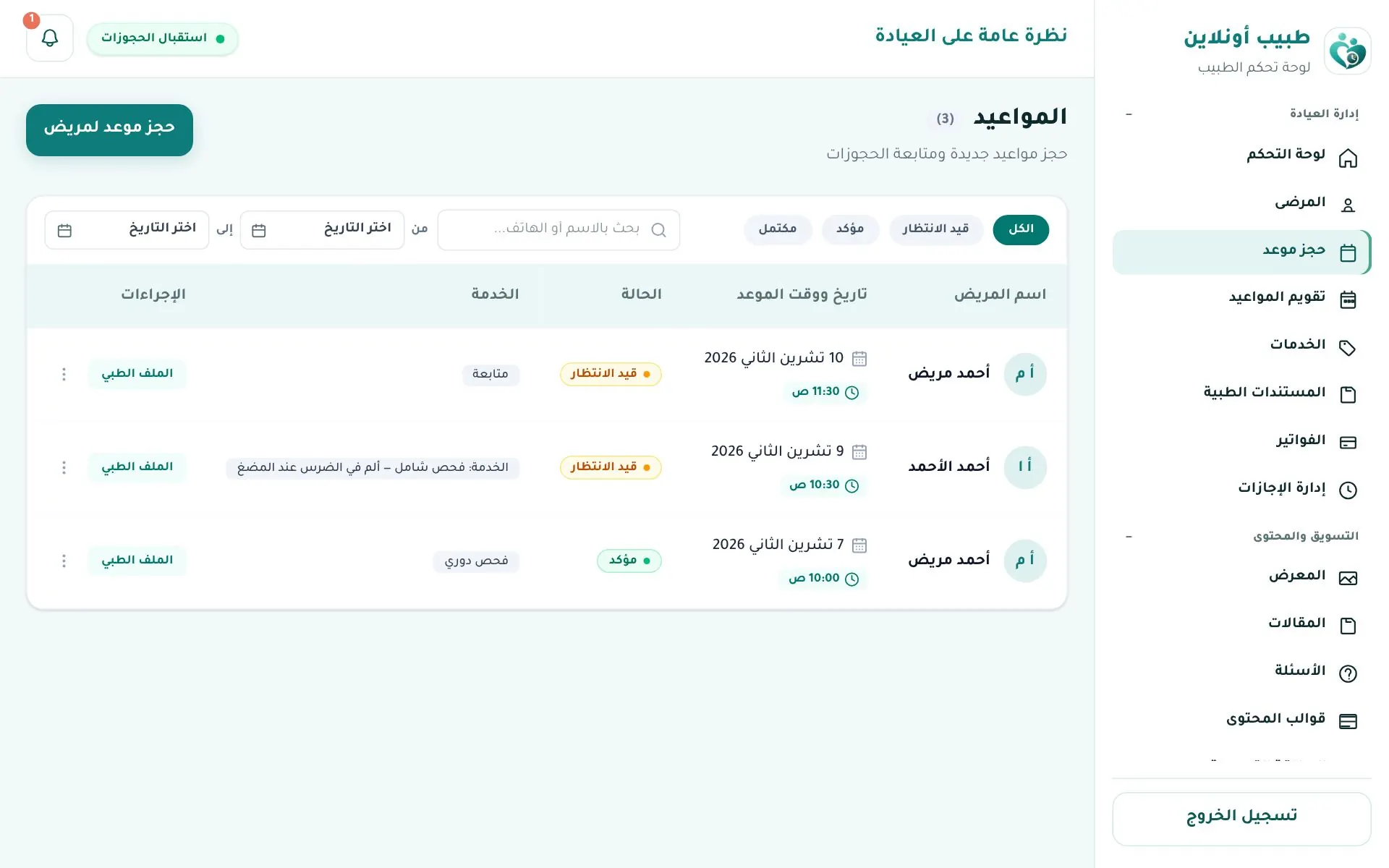
Clinic management → حجز موعد (Appointments): search by name or phone; filter by status (All · Pending · Confirmed · Completed) and date.
Appointment actions
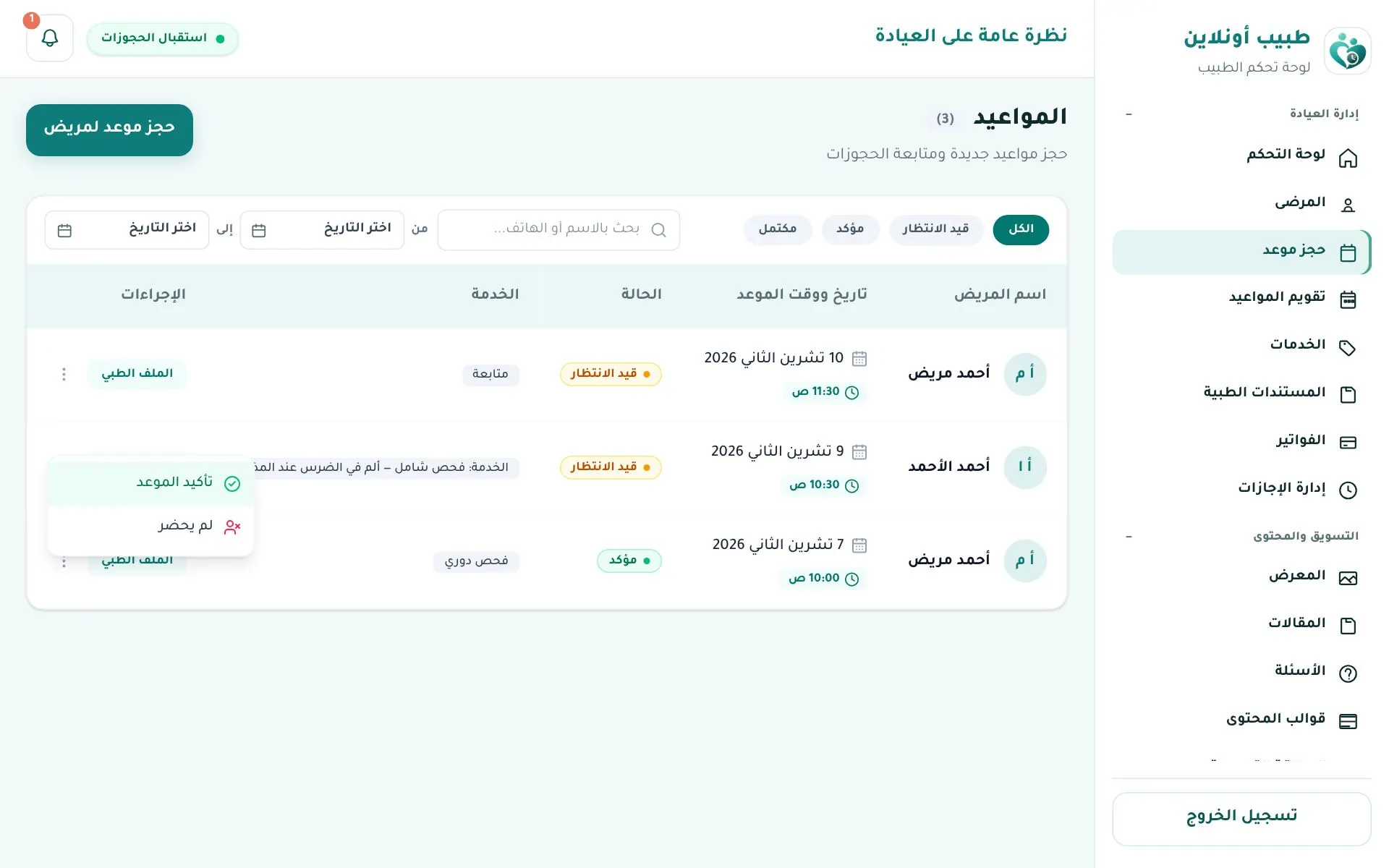
Click ⋮ next to an appointment:
- Confirm appointment — for pending ones; the patient is notified.
- Suggest an earlier slot — opens WhatsApp with the patient (when a number is available).
- No-show — for pending or confirmed ones.
- The Medical file button opens the patient's file.
Tip
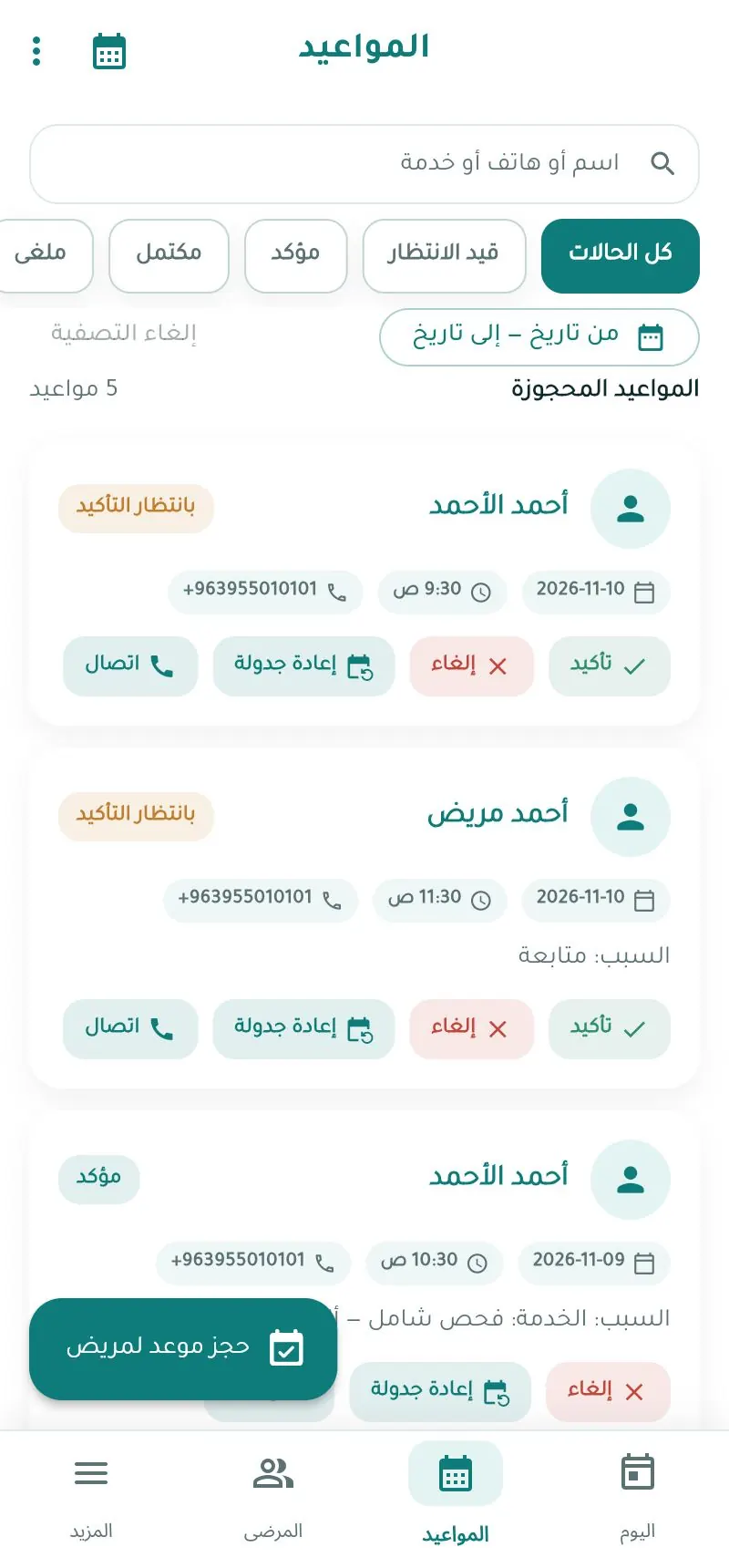
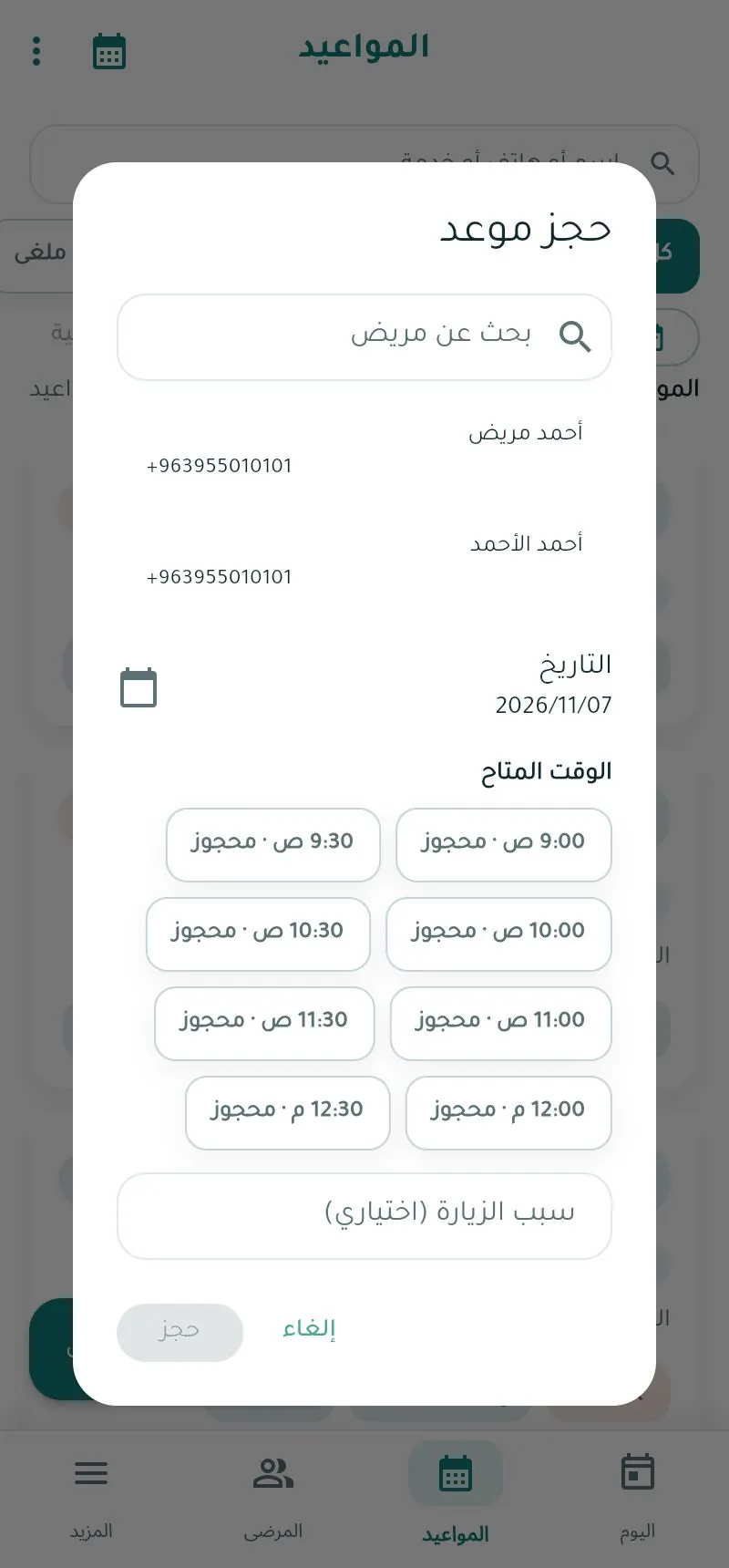
Cancelling, rescheduling and completing an appointment are available in the mobile app (Appointments tab). On the web you record the finished visit with the "Book appointment for patient" form below.
Record a visit / book for a patient
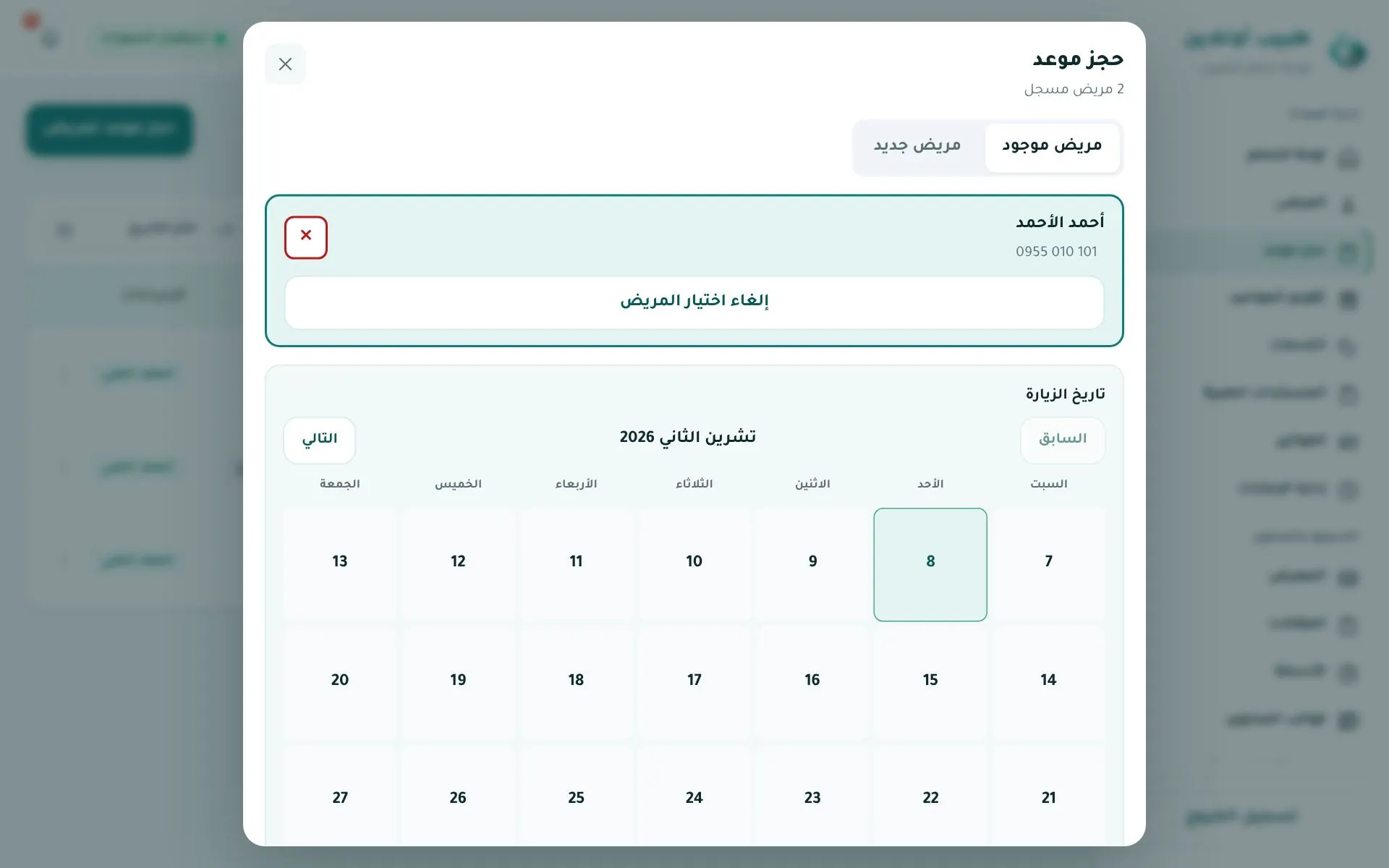
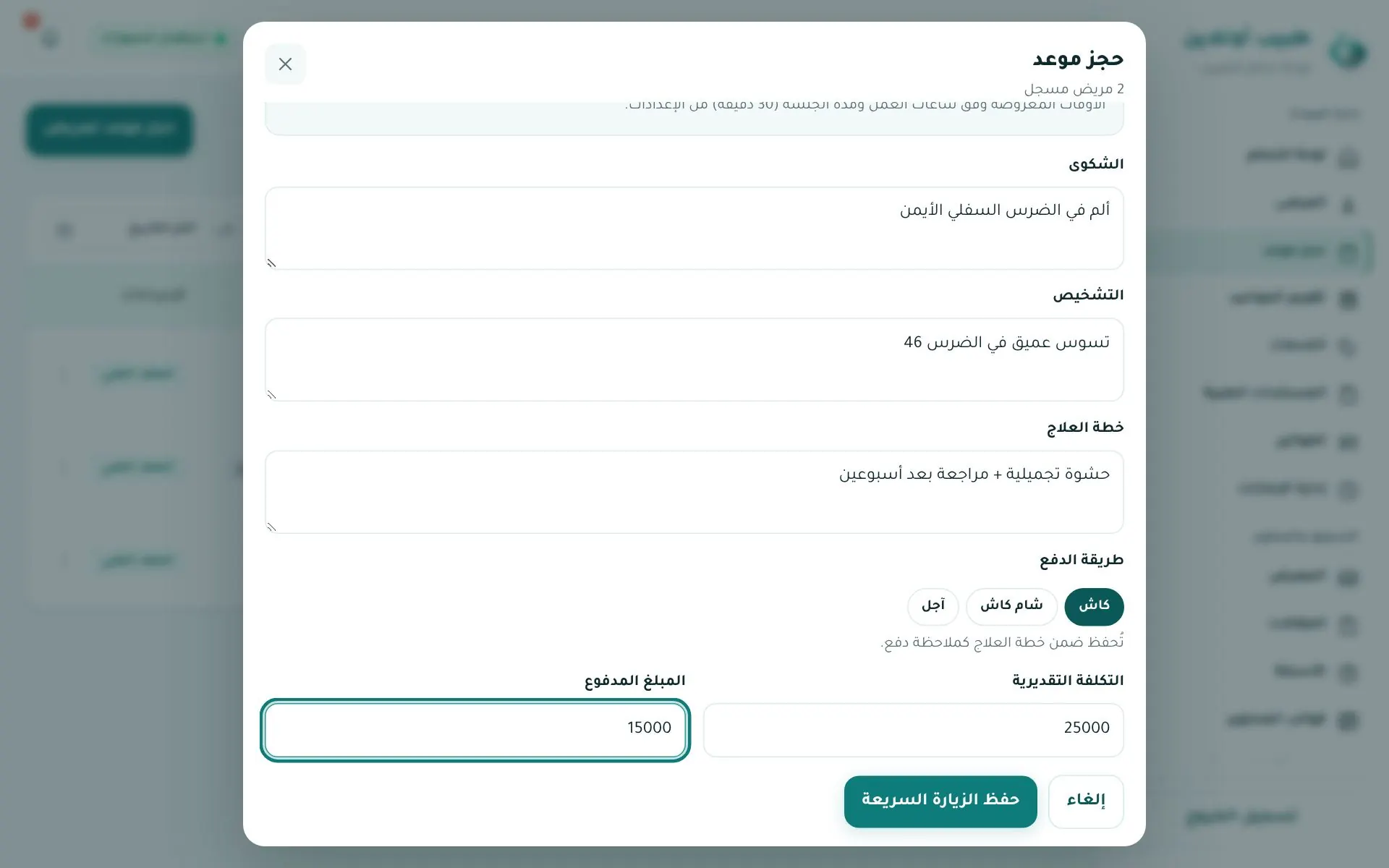
حجز موعد لمريض (Book appointment for patient) opens the quick-visit form:
- Existing patient (search by name or phone) or New patient.
- Visit date and time, based on your working hours.
- Complaint · Diagnosis · Treatment plan.
- Payment method: Cash · Sham Cash · Deferred (آجل).
- Estimated cost and amount paid — the difference is recorded as the patient's balance.
- Save quick visit.
Calendar
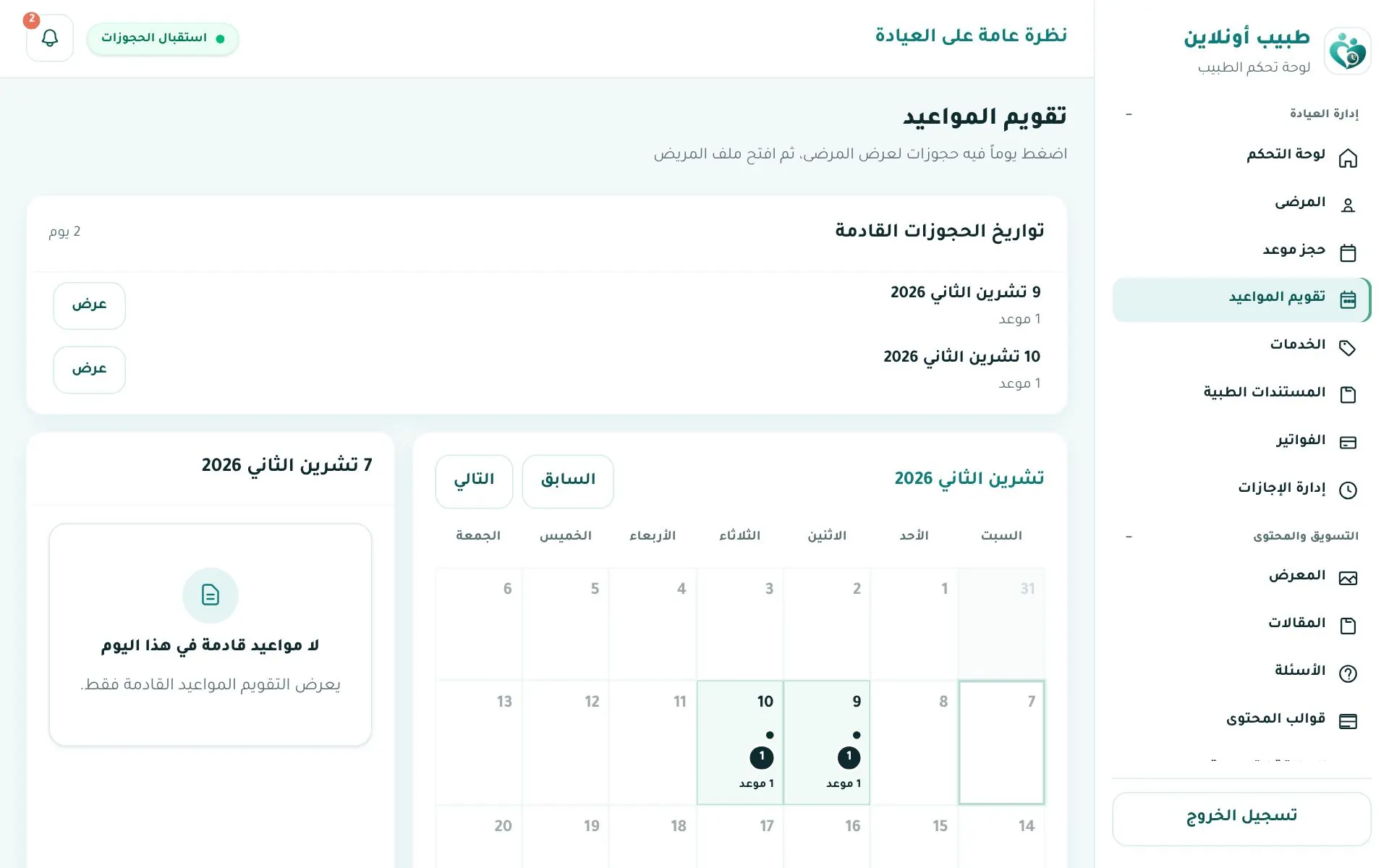
تقويم المواعيد (Calendar): days with bookings are marked; click a day to see its appointments.
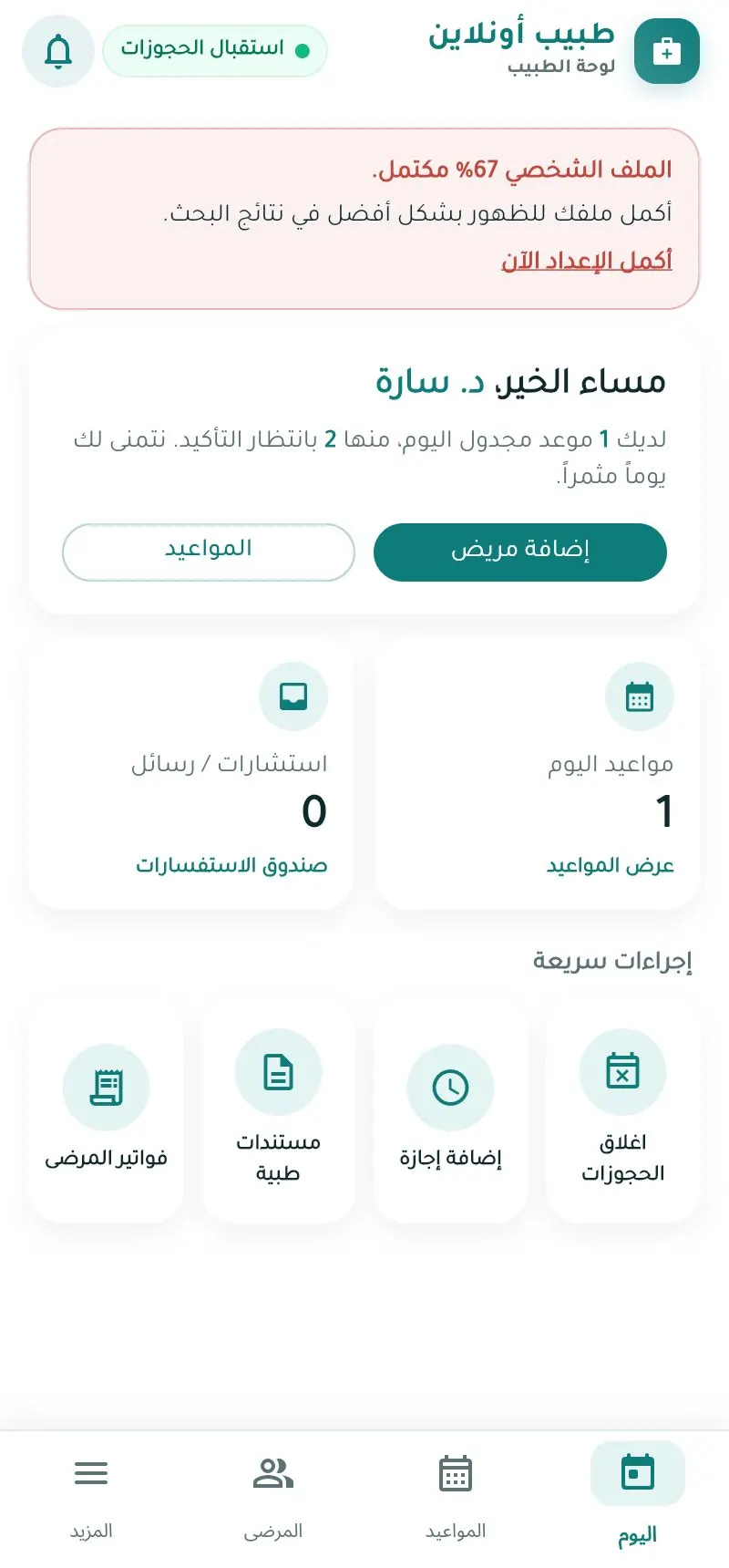
In the app App
Notifications
The bell at the top lists new bookings, cancellations, reschedules, invoices, reviews and admin decisions. The app also sends push notifications.